EBE Test Executive Suite
Automated hardware testing, from sequence to station to lab.
A complete software platform for building, running, and monitoring automated instrument tests — across CAN, VISA (GPIB, USB, LAN), and serial interfaces, with instruments from any supplier. Build your tests in a guided sequence editor, run them with a full-featured test executive, give operators clean guided displays, and watch every station in your lab from one dashboard.
Request an evaluationBuild tests, not test software
Test automation usually means gluing together vendor-specific tools, one-off scripts, and spreadsheets that never quite talk to each other. The EBE Test Executive Suite replaces that patchwork with one integrated platform: tests are built in the Sequence Editor from typed, guided steps — no code to write and no proprietary scripting language to learn.
Sequences, CAN signals, variables, instrument configurations, limits, and operator prompts all live in one structured test format shared across the suite — so a test you author in the Sequence Editor runs unchanged in EBE Test, drives the operator displays you built in Prompt Builder, and reports live status to Lab Manager. And because tests are stored as structured workbook files, they stay easy to review, diff, and share.
No proprietary scripting language to learn. No per-vendor lock-in. One platform from first sequence to full lab.
Five applications, one foundation
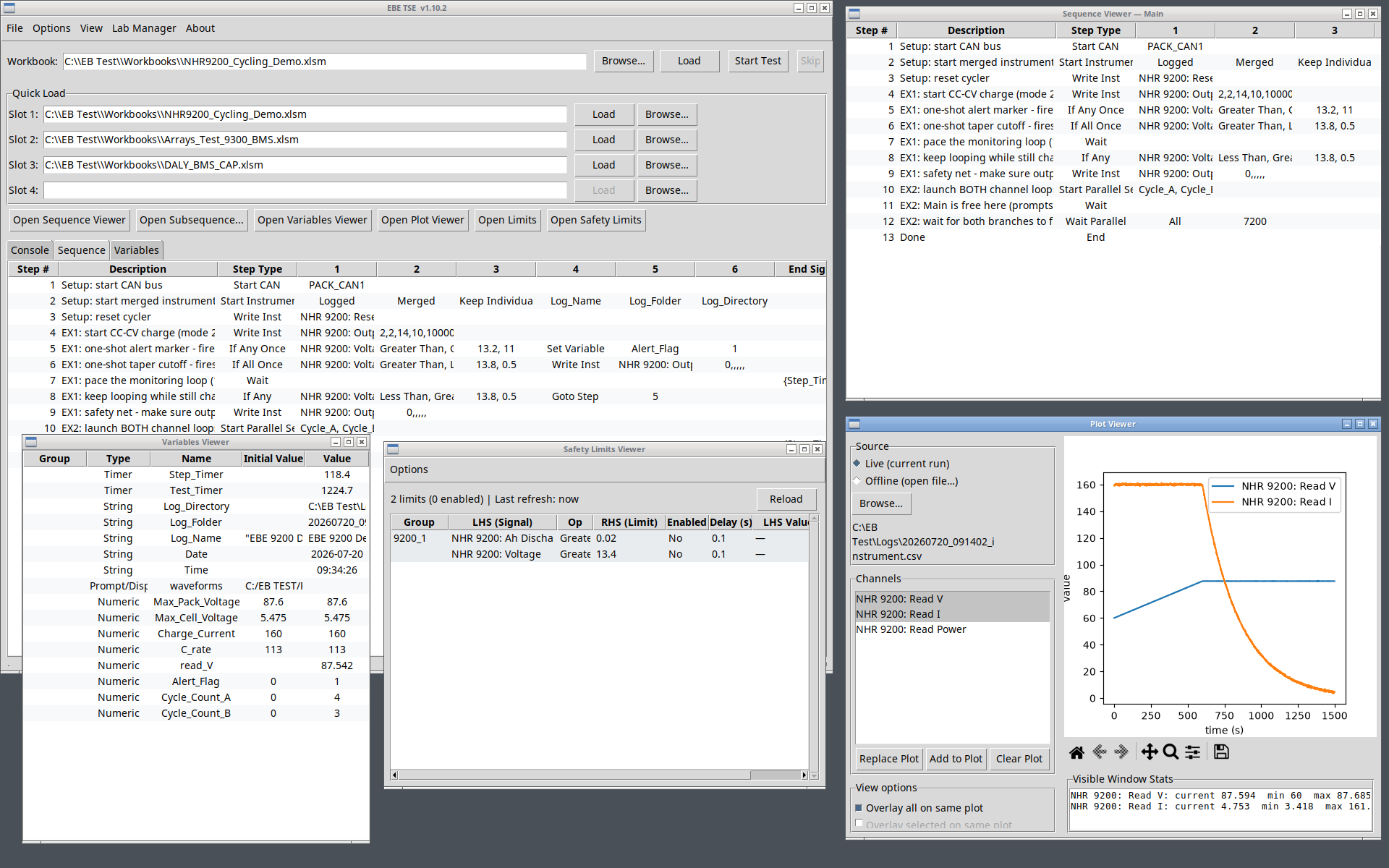
EBE Test — Test Executive & Runtime
The heart of the suite. EBE Test loads your test, connects to your instruments, and executes your sequences with full engineer visibility and control.
- Runs test sequences step by step with live logging, pause/resume, skip, and abort
- Talks to instruments over CAN, VISA (GPIB / USB / LAN), and serial — mix suppliers freely in a single test
- Parallel sequence branches: run background monitors (heartbeats, CRC checks, safety watchdogs) alongside your main test flow
- Conditional logic including If Any / If All multi-condition steps and condition-based waits
- Continuous data logging with per-sequence tagging, plus configurable limit checking
- Presents operator prompts and live displays built in Prompt Builder
Sequence Editor — Test Authoring
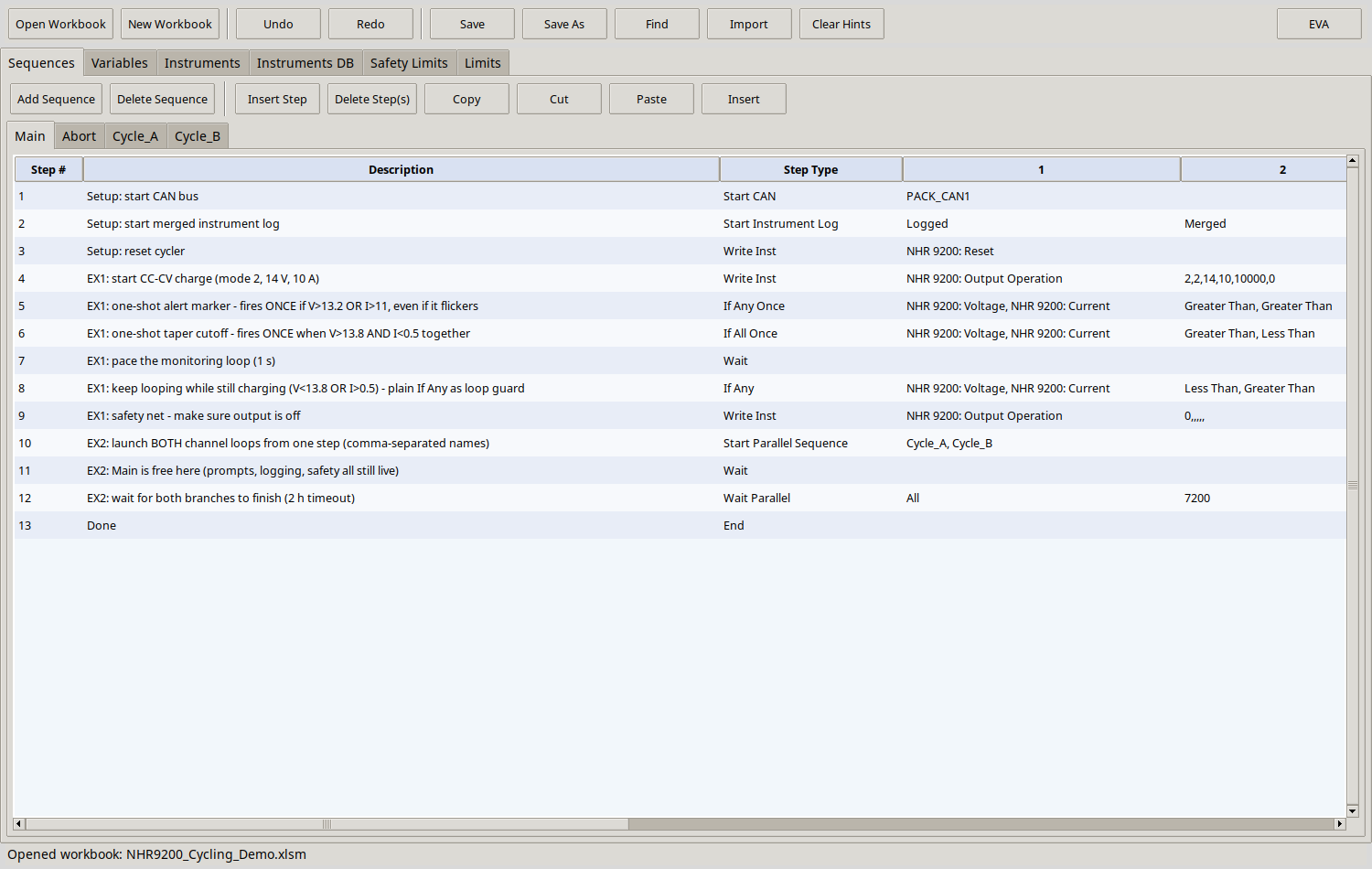
Build test sequences without writing code. The Sequence Editor is a purpose-built authoring tool that understands your test structure.
- Typed test steps with guided, pick-to-select cell builders — no memorizing syntax
- Manage CAN signal definitions, variables, and instrument configurations in one place
- Compose conditions from your variables, commands, and an expression library
- Set up parallel branches, waits, timeouts, and limit logging directly in the sequence
EVA — Built-in AI Engineering Agent
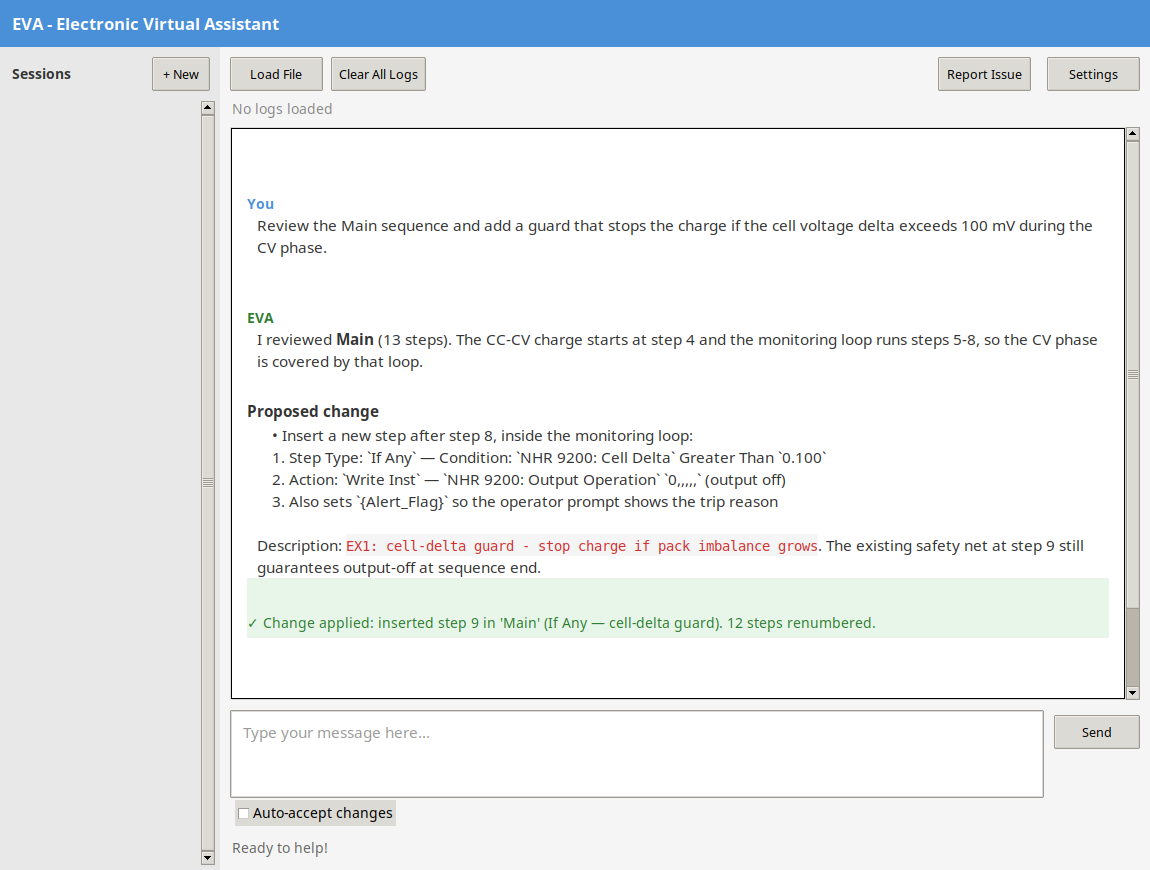
EVA lives inside the suite and works within its defined sequence structure — so its recommendations stay visible, reviewable, and under engineer control. Ask it to build or review sequences before a run, or to dig through logs after one.
- Reviews your sequence and proposes concrete, step-level changes
- Every change is previewed and approved before it touches the workbook
- Loads run logs to investigate limit failures, timing problems, and unexpected transitions
- Runs against your LLM server — test data stays on your network
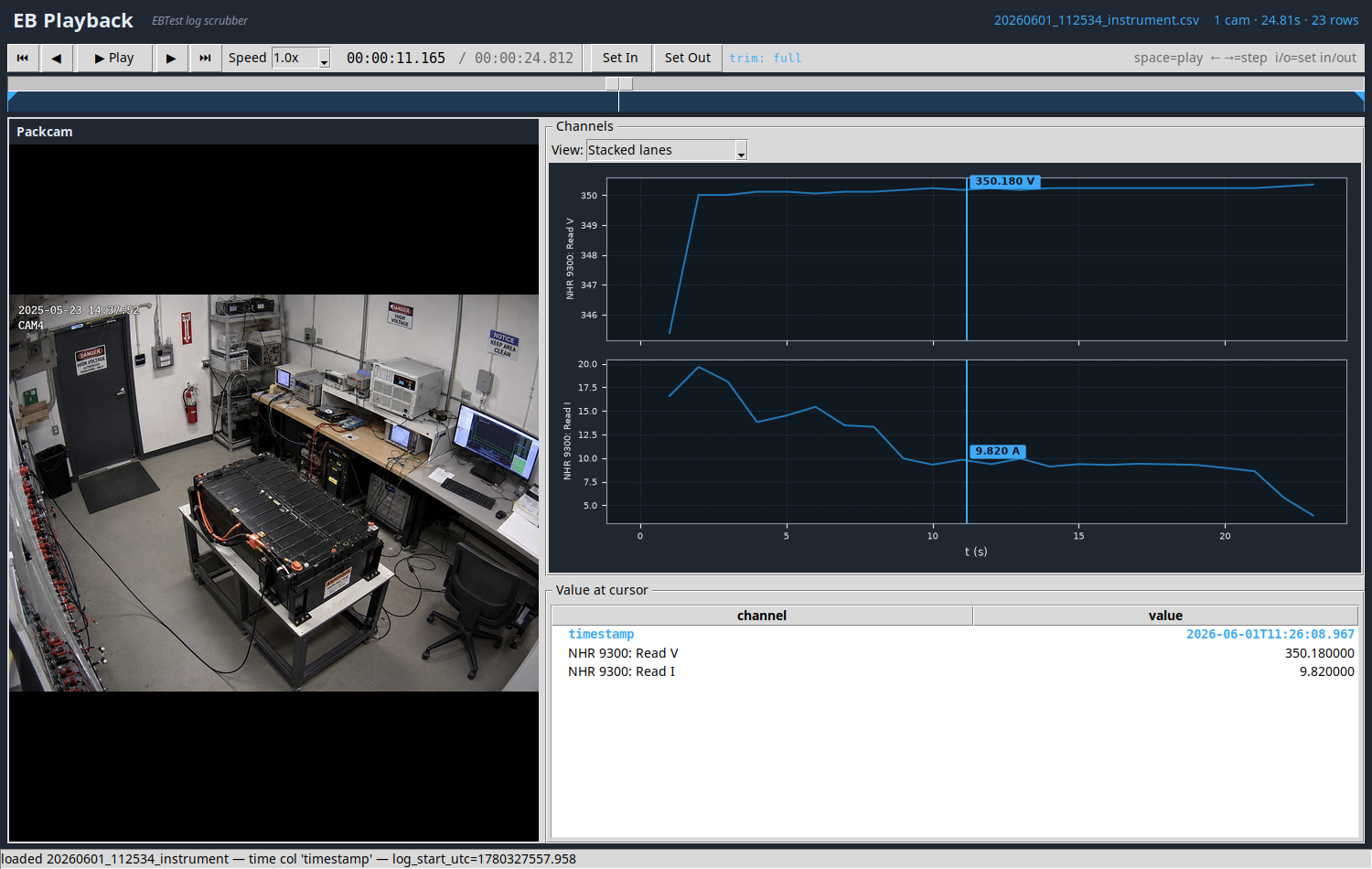
Prompt Builder — Operator Displays
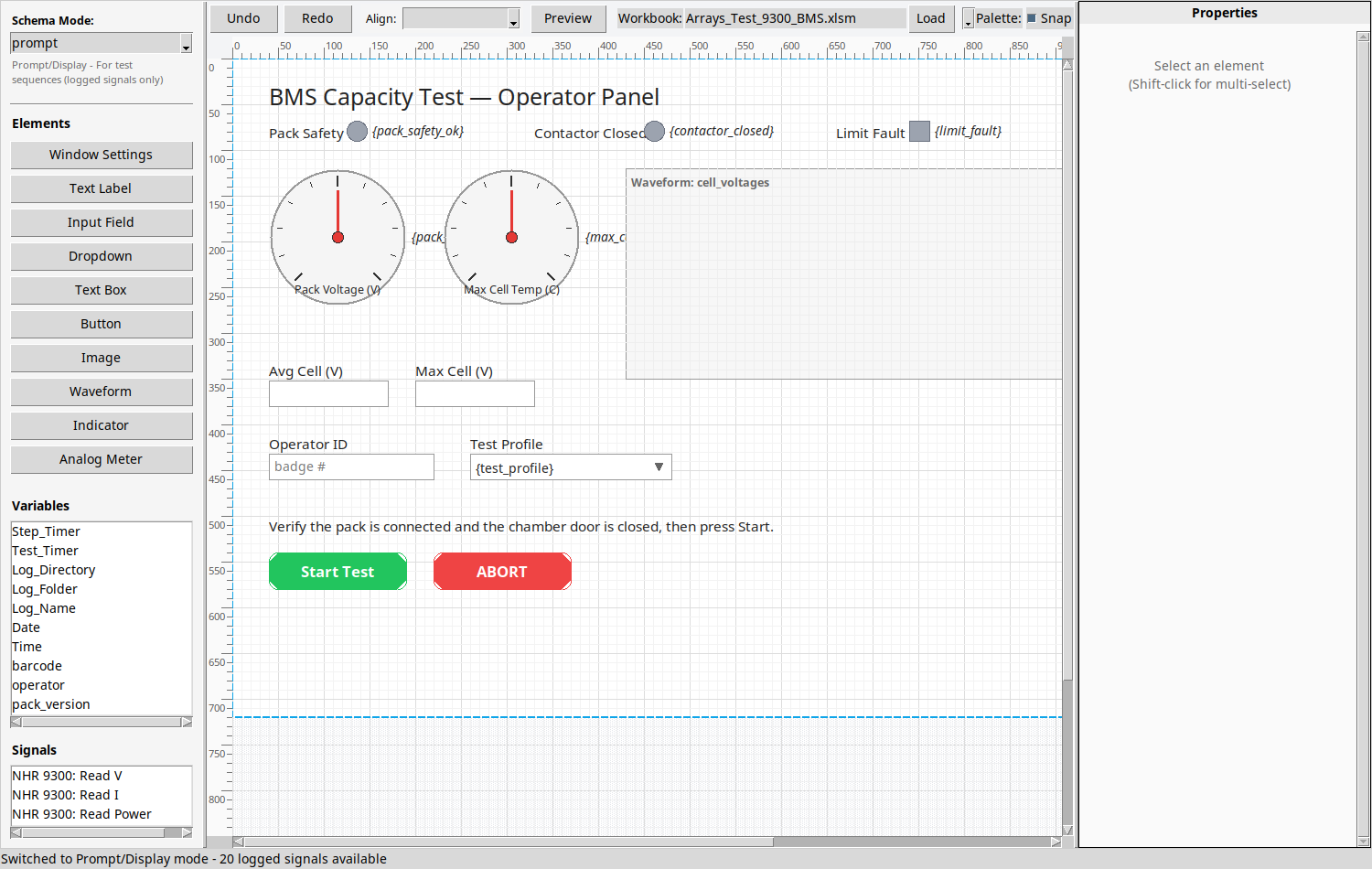
Design the screens your operators and engineers see during a test — visually, with drag-and-drop.
- Build prompt pages with live variable readouts, indicators, meters, and waveform displays
- Bind display elements directly to test variables and instrument signals for real-time updates
- Preview layouts as you build them
- Displays run inside EBE Test during execution — instructions, confirmations, and live data where the operator needs them
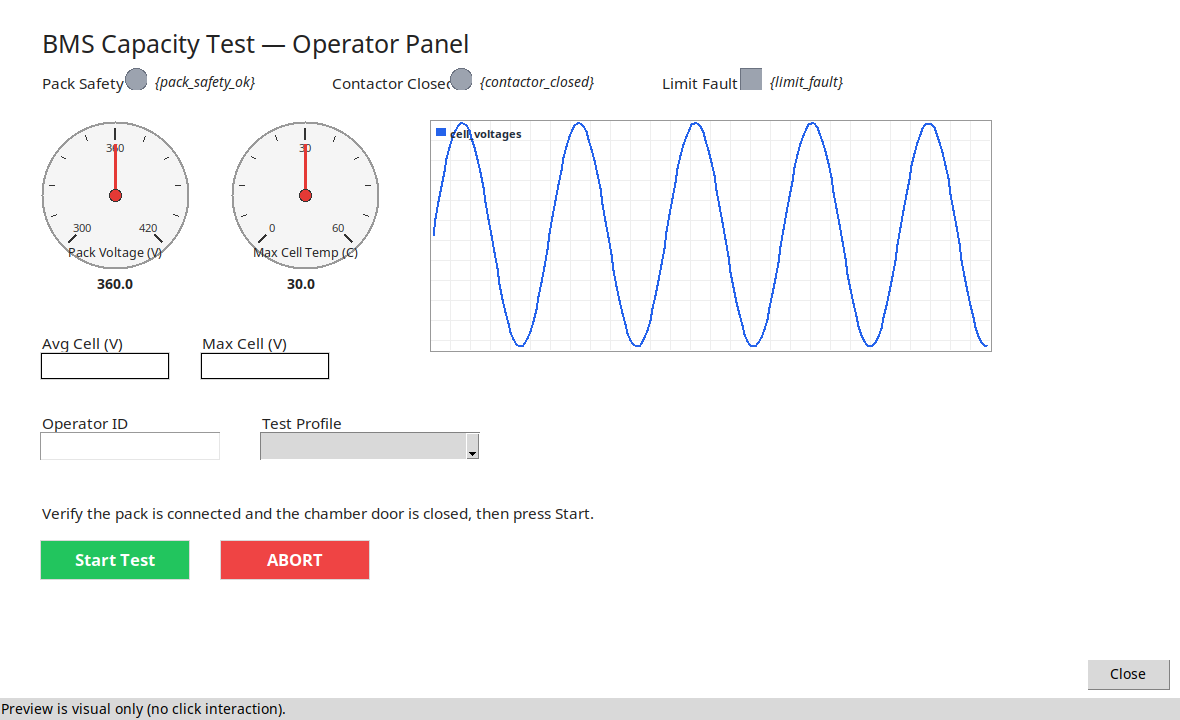
Lab Manager — Multi-Station Dashboard
See your whole lab at a glance. Lab Manager connects to every EBE Test station on your network and streams live status to a central dashboard.
- Real-time station status over WebSocket — which tests are running, where, and how they're doing
- Remote run control, test history, charts, and analytics at the lab level, not just per bench
- Workbook distribution, user roles, and audit logging for controlled lab operation
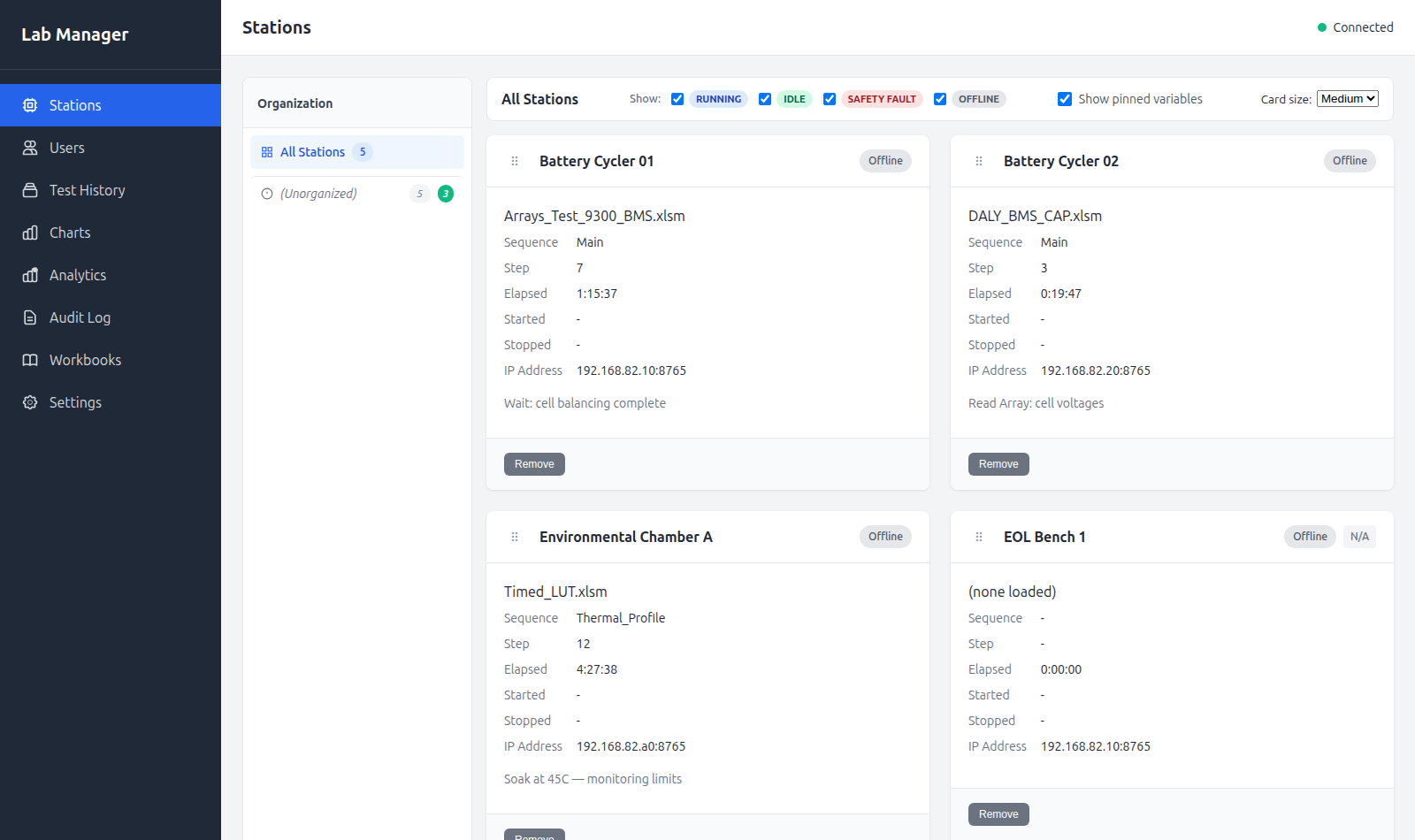
EB Playback — Synchronized Run Review
Replay a completed test like a recording. EB Playback scrubs through a run's logged data — and any camera video captured with it — on one synchronized timeline.
- Scrub, step, and play through the full run at variable speed
- Stacked channel lanes with values at the cursor for every logged signal
- Camera video stays time-aligned with the data as you scrub
- Trim to a region of interest and export data or video clips
Built for real hardware tests
Multi-interface, multi-vendor
CAN, VISA (GPIB / USB / LAN), and serial instruments in the same test, regardless of supplier.
One structured test format
Sequences, signals, variables, and limits live in a single structured file — easy to review, diff, and share across the team.
Real test-flow logic
Parallel branches, multi-condition If Any / If All steps, condition-based waits with timeouts, and looping — the control flow real hardware tests actually need.
Operator-ready
Guided prompts and live displays turn an engineering test into a repeatable production or lab procedure anyone can run.
Lab-scale visibility
From one bench to a room full of stations, Lab Manager keeps the whole picture in view.
Built-in AI assistance
EVA, the suite's AI engineering agent, helps author and review sequences before a run and analyze logs after — inside the test environment, always reviewable by the engineer.
Windows-native
Installs as standard signed Windows applications — no interpreter setup, no dependency wrangling on the test PC.
From first sequence to full lab
- Author
Define signals, variables, instruments, and sequences in the Sequence Editor.
- Design
Build operator prompt pages and live displays in Prompt Builder.
- Run
Load your test in EBE Test, connect your instruments, and execute.
- Monitor
Watch live status and results across every station in Lab Manager.
Test engineers, lab engineers, and hardware teams
Teams who need dependable automated testing across mixed instrument fleets — battery and power electronics test, CAN-based device validation, environmental and endurance testing, production verification — without building and maintaining a custom test framework from scratch.
Ready to see it on your bench?
EBE Test Executive Suite is available now for evaluation. Contact EB Engineering to request a license and installer, or to talk through your test setup.